By now you should be well aware of the benefits having a smartphone offers: the ability to be fully productive while out of the office. If you haven't already got one, buying a new smartphone can be a daunting prospect. There are so many options to choose from, which is the best one for me?
One important thing to bear in mind is that, despite what the marketing says, all smartphones do pretty much the same things:
- Internet connectivity: web, Email and instant messaging;
- Personal data: contacts, calendar, notes;
- GPS and navigation;
- Camera: stills and video;
- Media: music and videos;
- Third party applications (apps).
The differentiating factor between different smartphones is not really what they do, but rather how they do it. An important thing to remember when looking at smartphones is that they are essentially small computers. Like computers, smartphones have different operating systems.
When dealing with computers, there are only two or three different operating systems you're likely to encounter: Windows, Mac and Linux. Smartphones have a wider variety of different operating systems. I'll take a look at the most popular ones available on the South African market.
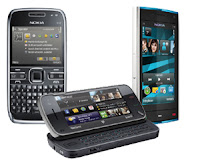 |
| Nokia Symbian devices |
Although you may not realise it, odds are you've already used a
Symbian device. Most
Nokia cellphones are running a version of the Symbian operating system. The middle-range Nokia phones are mostly using a version of Symbian called Series 40. High-end Nokia phones mostly use Symbian Series 60, and are classified as smartphones.
Although Symbian Series 60 (S60) has been the top selling smartphone operating system for several years, this is unfortunately no longer the case. New applications for S60 aren't being released as quickly as they once were. Choosing to go with an S60 device today means, most likely, that for at least the next two years you will be perpetually behind the times.
That said, two very good reasons to go with Symbian are:
- Familiarity. If you're already accustomed to using a Nokia device you may prefer to go for Symbian because it will be easier to learn to use than going with an entirely new operating system. You already know your way around the menus, and are familiar with the various pop-up menus. If the thought of learning a new device from scratch makes you nervous, that's something to consider.
- GPS. In my experience Nokia has the best native navigation application of all the mobile platforms: Ovi Maps. The maps are free and accurate, and the interface is familiar and easy to use.
(Nokia is not the only company that makes Symbian devices, but non-Nokia symbian devices are becoming more and more rare.)
 |
| BlackBerry devices |
By now you've probably seen several of your friends with their shiny new BlackBerries. They're becoming increasingly popular in corporate South Africa. Although
BlackBerry has, like Symbian, become somewhat dated technology, it's doing very well here for one simple reason: BlackBerry devices come with unlimited on-device data on contract. This means that all emailing, chatting and web surfing you do on the actual BlackBerry device is free.
Considering the high data charges of mobile contracts in general, this is a pretty sweet deal. A lot of people are quite happy to put up with old-fashioned technology if it means free Internet.
RIM are the only company licensed to distribute BlackBerry devices, which means that there's a nice synergy between them: once you've mastered one BlackBerry, the rest are easy to use. Although the interface isn't terribly intuitive, once you get the hang of it, it really makes sense. You'll tend to find that once someone goes BlackBerry, it's hard to get them to consider any other device.
One warning: if you're hoping to connect your BlackBerry to your work email account, you might experience some difficulty if they haven't installed the BlackBerry Enterprise Server. BlackBerry is specifically designed for that sort of thing, but it works best with that server software in place.
 |
| iPhone 4 |
I'm sure you've seen one of these beauties by now too. Like most Apple products,
iPhones are beautifully constructed and very well designed. The interface is simple and intuitive, and despite the fact that it's a powerful computer, it doesn't overwhelm you with complexity.
The thing about iPhones is that the
Apple corporation is very strict about what can and can't be done with their devices. Apple puts strict limitations on what sorts of apps you can install, and what features of the device are available to you. Some people find that comforting, as it eliminates the added complexity. Others find it limiting.
Another thing to note is that, at any given time, there's only one iPhone. At the moment it's the iPhone 4. There's no choice between different devices with different specs, and there's no way of upgrading the one you've got (as opposed to most other smartphones, which have upgradeable memory). Again, some people like the simplicity, others don't.
 |
| Android Devices |
Although I've been a Symbian man for 6 years, this year I decided to try something new: I went for an
Android device. And I am so glad I did. And I'm not alone, Android is currently the top-selling smartphone platform in the US.
Android is an operating system developed by
Google and provided to various handset manufacturers to power their smartphone devices. These include Sony Ericsson, Motorola, HTC, LG and Samsung.
Android was designed to compete directly with iPhone, and so has a similar visual appearance. But the important difference between iPhone and Android, is that Android gives you virtually unlimited choices. Not only can you choose from a variety of handsets (each with its own customisations and feature sets: this one has a better camera, that one has a bigger screen, some have slide-out keyboards, others don't, and so on), but Google places no real limitations on what applications you can install.
In fact, Android is so open and comes with so many options that this is it's most oft-cited criticism: that all the choice it offers can be overwhelming and confusing to the first-time buyer. That's probably true, so if you're thinking of trying an Android device (and I strongly recommend it), it might be a good idea to ask a friend who already has one to help you choose the right one for you.
Another down-side to using Android (and the iPhone, to some extent) in South Africa is that not all the services on the device are available here yet. For example, the Android default navigation tool is
Google Maps, which works beautifully. But unfortunately Google haven't switched on the Voice Navigation service for us here yet, which means you have to
tweak it or
install other software in order to get it going. These things are just a matter of time, but they can be frustrating.
 |
| Windows Phone 7 devices |
These aren't as common as the others I've mentioned, but you may have come across them from time to time. This isn't the best time to be talking about Windows-based smartphones, since Microsoft have just released the latest version:
Windows Phone 7, which should reach our shores any day now.
Previous Windows smartphones were designed to replicate the familiar Windows desktop environment on the phone, as well as to integrate neatly with your Windows computer. Windows Phone 7 is, by all accounts, a little different in that it's less focussed on linking up with your Windows PC, and more focussed on connecting to your
Windows Live ID (Microsoft's online community service which links up to a bunch of different social networking and
cloud computing services).
Like Android, Windows devices aren't limited to one manufacturer, and you're likely to find Windows Phones made by HTC, Samsung, Dell, HP and Sony Ericsson, as well as several others.
Others
You're likely to come across other smartphone platforms such as
Palm's WebOS, Nokia's
Maemo and Samsung's
Bada. Although these are all perfectly capable in their own right, they all share a limiting factor: low adoption rates.
The more popular a platform is, the more likely it is to continue being updated, and to be supported by third-party application developers. Each has its advantages and benefits, but in general I would advise going for one of the more popular ones I've mentioned above.
If you work in or close to the corporate world, a smartphone is becoming less of a geek-toy and more of a necessity. If you're thinking about getting one, my advice would be to go for it.
When making your decision, I'd suggest whittling it down to a short-list. Some factors to consider would be:
- Camera quality: do the extra megapixels count? Do you want a front-facing camera for video-chat too?
- Interface design: touch-screen, "qwerty" keyboard, numeric keypad or some combination of these?
- Compatibility: some platforms work better with the tools you already use, like Android works best with Google Apps, iPhone works best with iTunes and Windows Phone works best with Windows Live.
- Third-party apps: developers of new apps tend to favour one or two platforms. At the moment the most popular are iPhone and Android.
- Appearance: looks matter to some people - do you need a sexy-looking iPhone or a serious-looking BlackBerry?
Once you've got your short-list, I'd recommend going down to your local cellular operator's store and trying out the demo units, just to make sure you're happy with the device you're buying. In all likelihood it'll soon become an indispensable extension of your body... best make sure you get the best one for your needs.